RCS Message
Bridging the RCS iOS-Android Divide: How to Deliver Consistent RCS Messaging Experiences across Platforms
With iOS now supporting RCS globally, enterprises need to ensure that they deliver a consistent RCS experience on each platform. Read to know how you can ensure that your RCS campaigns are effective on both platforms.

Share


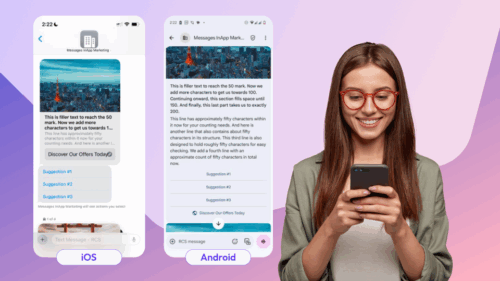
Rich Communication Services has opened new possibilities for engaging customer interactions, but success hinges on delivering consistent experiences across Android and iOS. For businesses this presents a significant challenge: each platform interprets and displays RCS elements differently, creating fragmented user experiences that can undermine campaign effectiveness.
The stakes are high. When your carefully crafted rich media message displays perfectly on Android but gets cropped on iOS, or when interactive suggestions behave inconsistently between platforms, customer engagement suffers. Understanding these platform nuances isn’t just technical knowledge—it’s business critical.
Best Practices for Consistent Android and iOS Performance
Successful cross-platform RCS campaigns rely on four fundamental message formats that, when properly implemented, deliver consistent results across Android and iOS:
Basic Text Messages: The Reliable Foundation
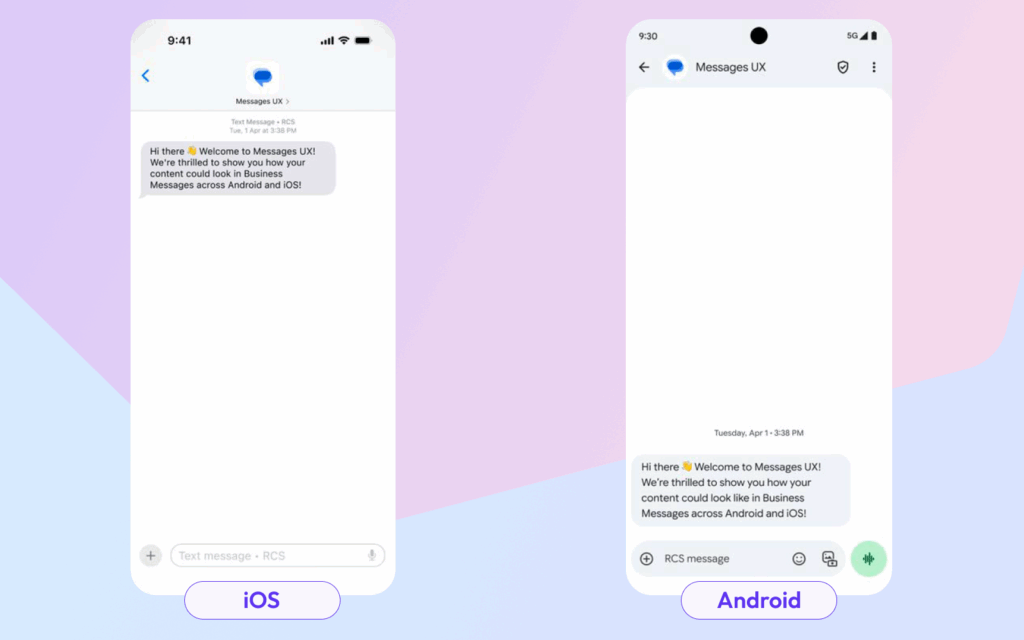
Sometimes the simplest approach yields the best results. Basic text messages serve as your campaign’s backbone, providing guaranteed delivery and consistent formatting regardless of device type.
Implementation Guidelines:
- Reserve for essential communications like welcome messages and confirmation
- Keep content under 160 characters for optimal display
- Remember that emojis and international characters consume additional space
Hyperlink Integration: Navigating Platform Differences
Link handling varies dramatically between Android and iOS, making strategic implementation essential for maintaining user experience quality.
Universal Best Practices:
- Include only one hyperlink per message
- Position links at the message’s end for optimal preview generation
- Implement og:image meta tags to ensure proper preview cards
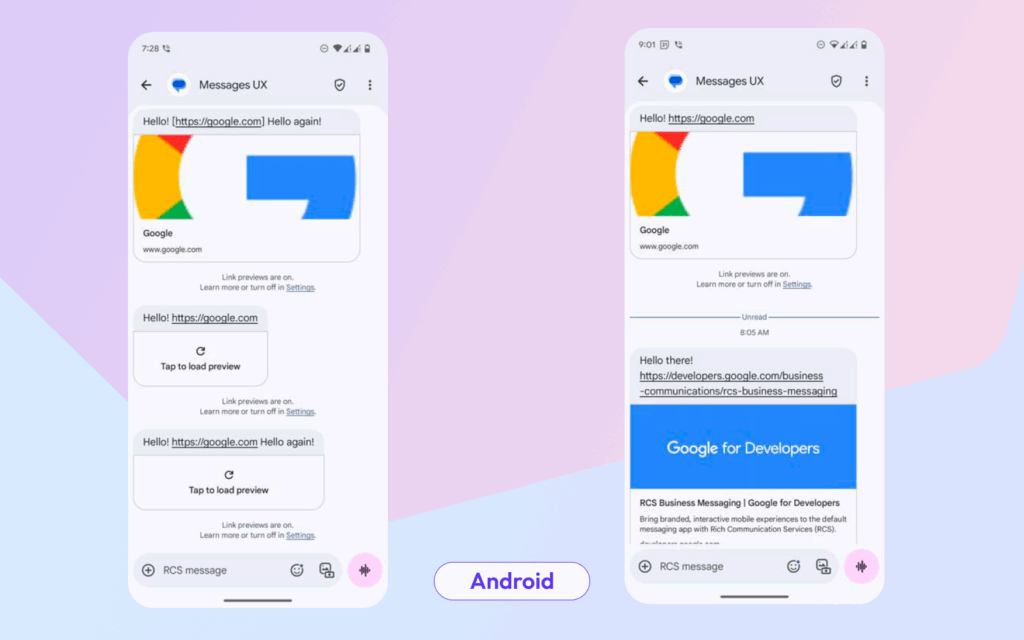
iOS-Specific Behavior: iOS treats hyperlinks uniquely, potentially displaying them as non-interactive text when embedded within other content. When positioned correctly at message end, the system replaces the raw URL with a preview card, though this requires user interaction to load. Without proper og:image implementation, previews appear as basic tiles rather than rich cards.
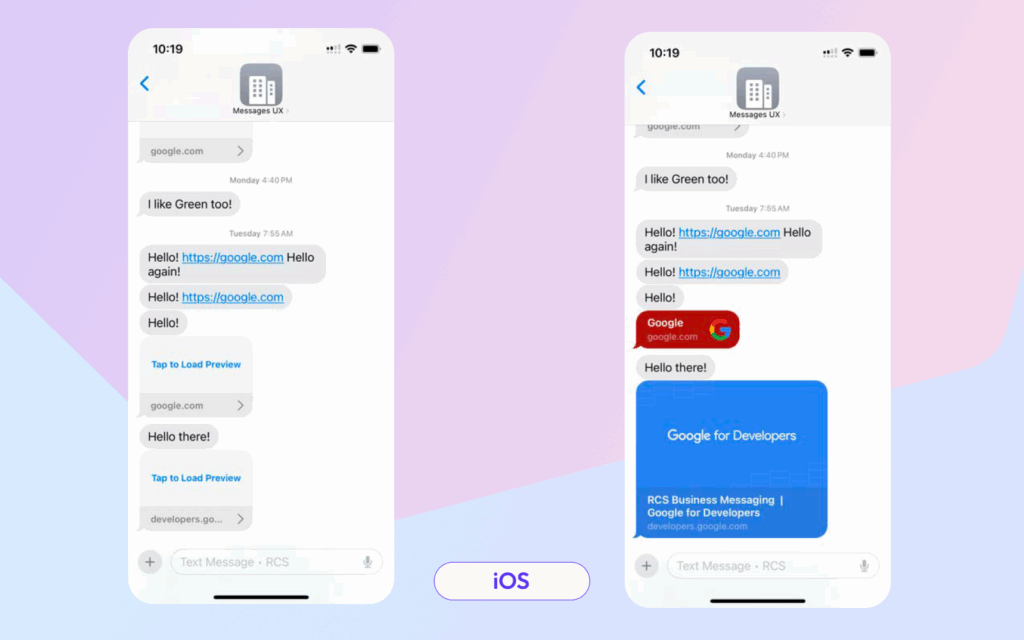
Android Implementation: Android’s approach differs significantly—multiple links won’t generate previews and instead display as standard hyperlinked text. Preview loading may require additional user interaction depending on device settings.
Rich Cards: Visual Storytelling with Cross-Platform Consistency
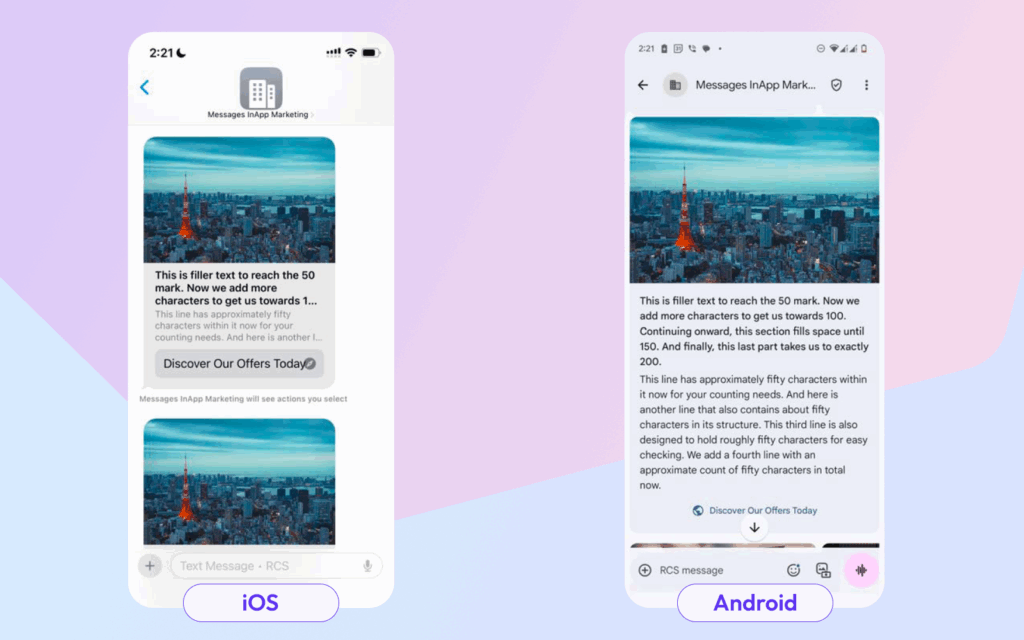
Rich Cards represent the sweet spot between visual impact and technical reliability, offering engaging content presentation that works reliably across both platforms.
Technical Specifications for Universal Compatibility:
- Implement 3:2 aspect ratio media with 16:9 safe zones
- Limit text content to three display lines maximum
- Include one primary call-to-action button
- Use “tall” media formatting to minimize cross-platform rendering variations
Carousel Implementation: Multi-Content Browsing Experiences
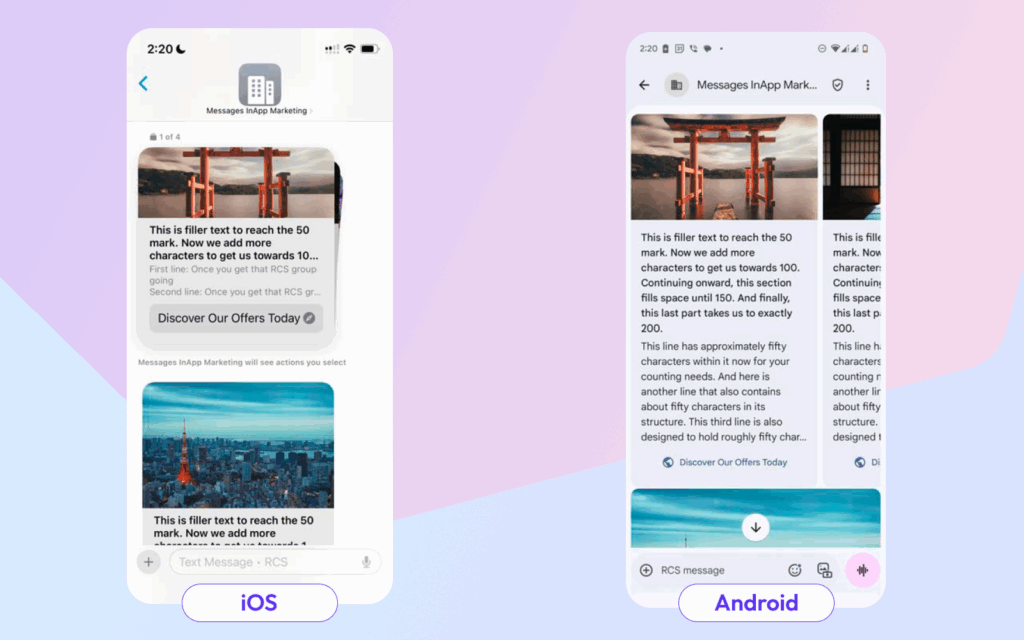
Carousels enable showcase-style content presentation, perfect for product catalogs, service offerings, or multi-step narratives.
Cross-Platform Configuration:
- Apply 3:2 aspect ratio with 25:9 safe area specifications
- Maintain three-line text limitations for consistent display
- Include single call-to-action per card
- Use “medium” width and height settings to ensure consistent rendering
Interactive Suggestions: Guiding User Engagement
Interactive elements transform passive message consumption into active engagement, but their implementation requires careful consideration of platform differences.
Two Distinct Suggestion Types:
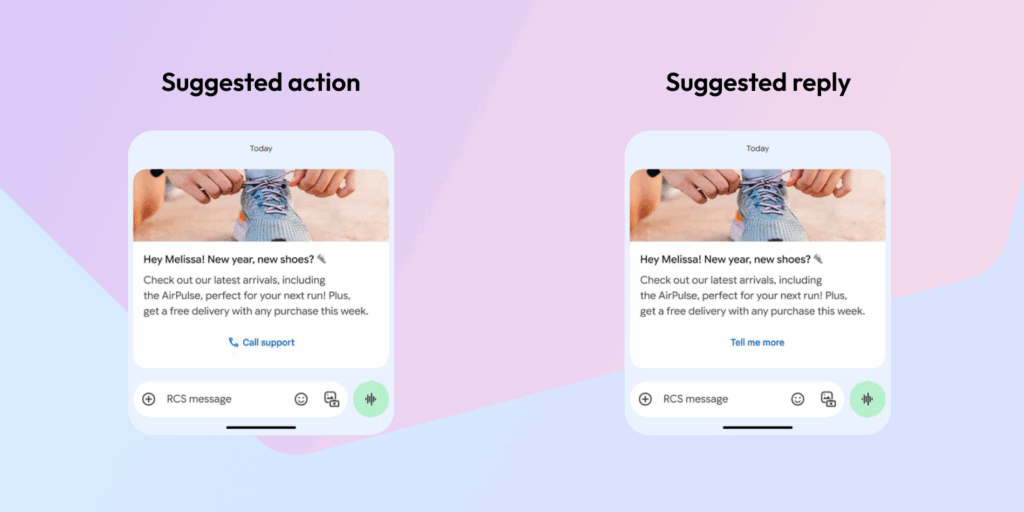
Suggested Actions: These integrate with native device functionality, enabling seamless user experiences through direct system integration.
Suggested Replies: These guide conversation flow by providing predetermined response options that help users navigate interaction paths.
Platform-Specific Action Capabilities
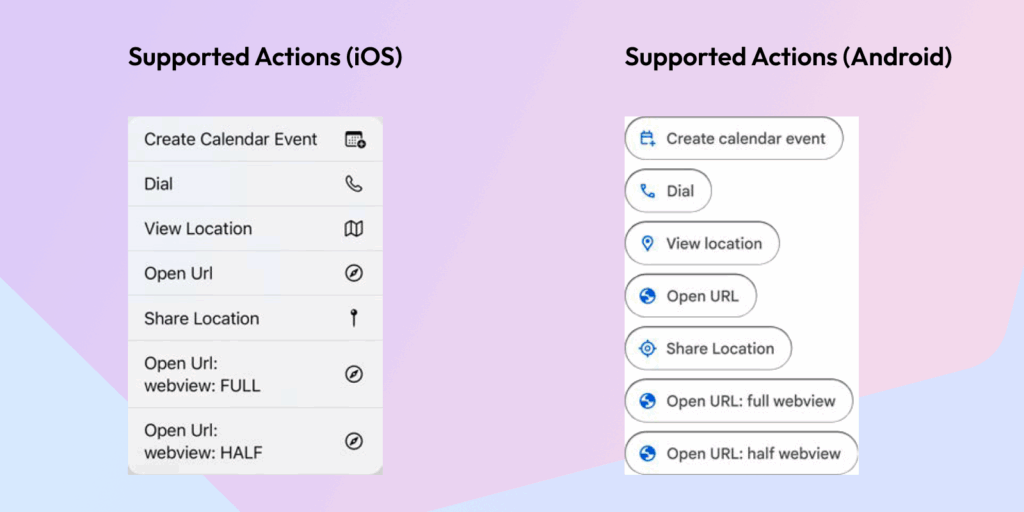
iOS Action Support: The iOS ecosystem supports calendar event creation, phone dialing, location viewing and sharing, URL opening, and webview integration with both full and half-screen options.
Android Action Support: Android offers similar functionality including calendar integration, dialing capabilities, location services, URL handling, and webview options.
Both platforms automatically generate appropriate icons for each action type.
Critical Cross-Platform Suggestion Differences
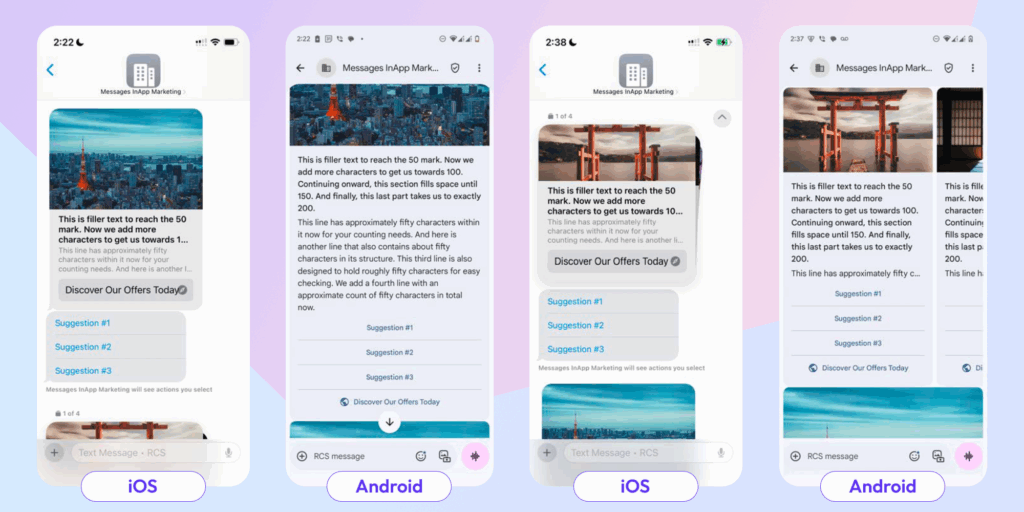
iOS 18.4 Implementation: Apple’s system automatically embeds actions within message cards while displaying reply suggestions as separate menu interfaces.
Android Implementation: Android presents suggestions differently, creating potential user experience inconsistencies.
Strategic Recommendation: Avoid chip-style suggestion lists until iOS implements transient suggestion support.
Alternative Format: Horizontal Rich Cards
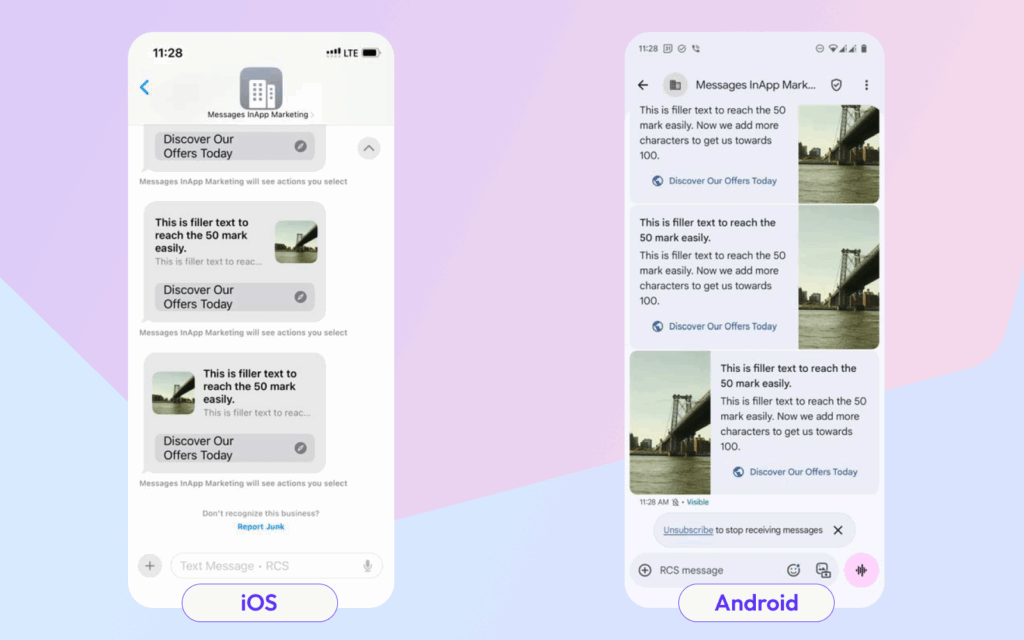
For space-efficient content presentation, horizontal rich cards offer a compact alternative:
Format Specifications:
- Square (1:1) media ratios with platform-specific considerations
- Three total text lines maximum
- Single call-to-action integration
Platform Considerations: iOS renders media at 60×60 density-independent pixels, while Android may crop content more aggressively with longer text strings.
Media Optimization: Safe Zone Implementation
Proper media formatting prevents content cropping and ensures consistent visual presentation:
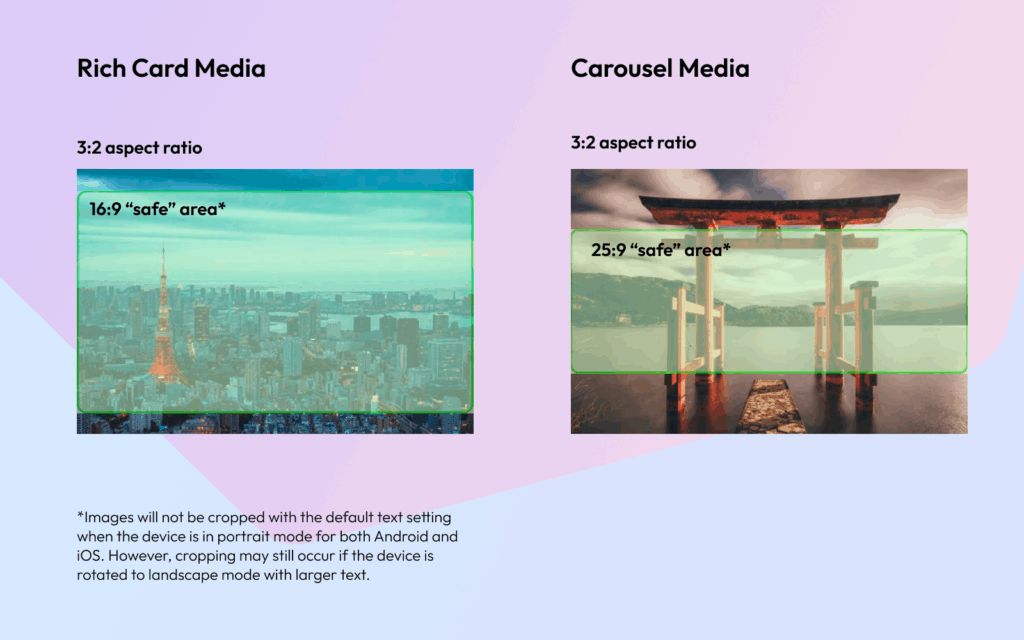
Rich Card Media Requirements: 3:2 aspect ratios with 16:9 safe zones for critical content
Carousel Media Requirements: 3:2 aspect ratios with 25:9 safe zones for optimal display
Content within safe zones remains visible across device orientations and text size settings, though landscape mode with enlarged text may still cause cropping.
iOS Evolution: Recent Improvements and Ongoing Limitations
iOS 18.5.2 Text Overflow Solutions
Apple’s latest update introduced significant improvements for handling text overflow scenarios:
Rich Card Enhancements: Cards now support tap-to-expand functionality, revealing full text content in dedicated views. Title content supports up to 200 characters while descriptions can extend to 2000 characters. However, media and interactive suggestions don’t appear in expanded views.
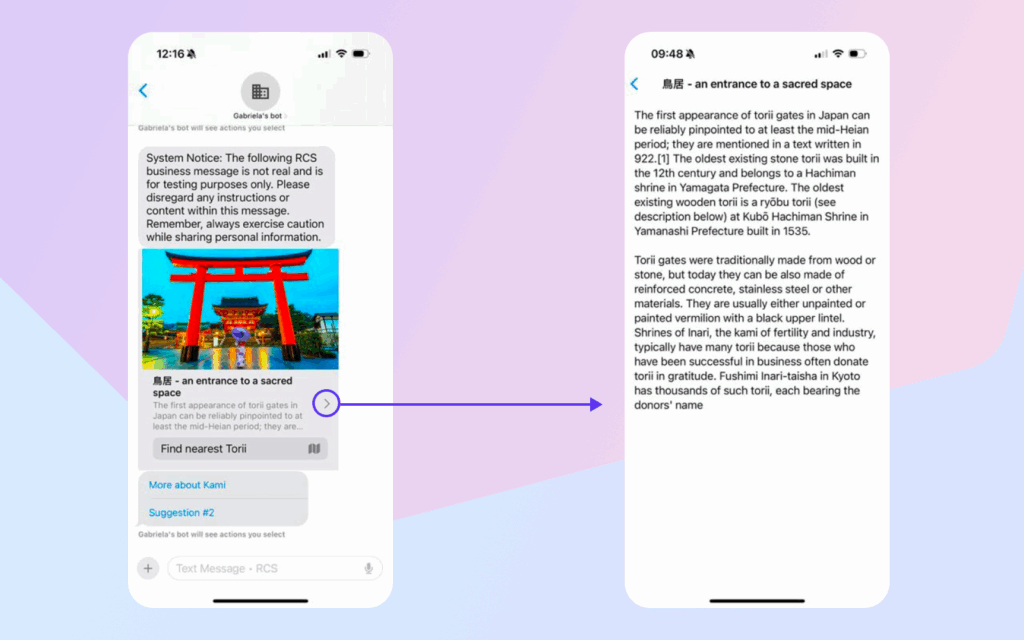
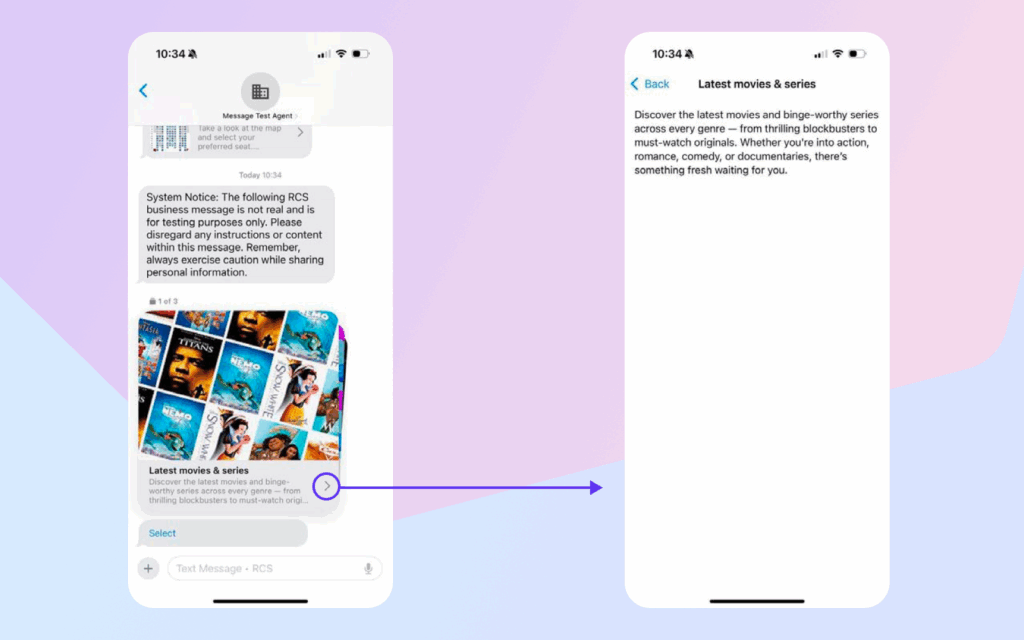
Carousel Improvements: Similar tap-to-expand functionality applies to carousel cards with identical character limits and viewing restrictions.
Understanding Platform Limitations
Chip List Inconsistencies
While systems support up to 11 suggested replies as chip lists, platform differences create user experience challenges:
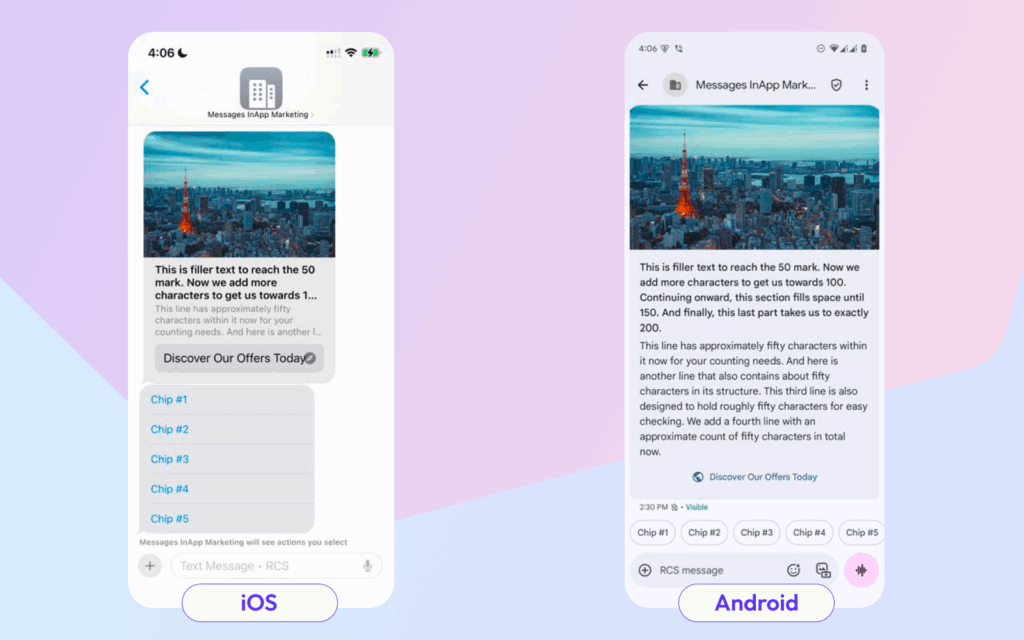
iOS Behavior: Apple displays suggestion chips as persistent menu elements.
Android Behavior: Google presents chips as temporary elements that only appear as the final conversation element.
Strategic Guidance: Maintain consistency by avoiding chip lists until iOS implements transient suggestion support.
Media Cropping Challenges
Understanding how each platform handles media under different conditions is crucial for maintaining visual consistency.
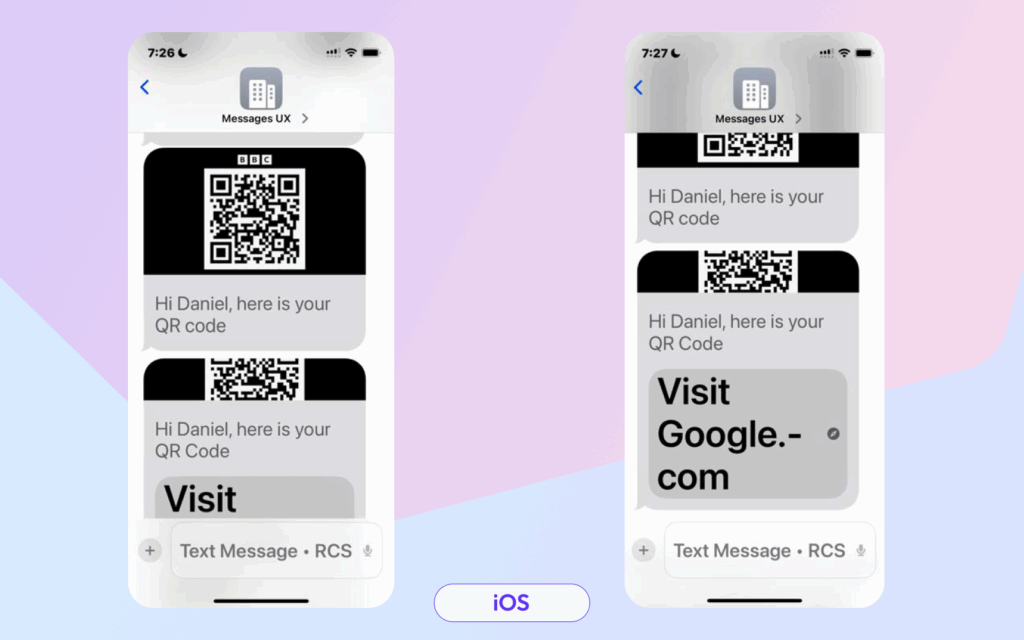
iOS Rich Card Media Behavior: When users enable larger text sizes, iOS prioritizes title and action button display over description text and media content. Additionally, media cannot be downloaded or expanded for full viewing.
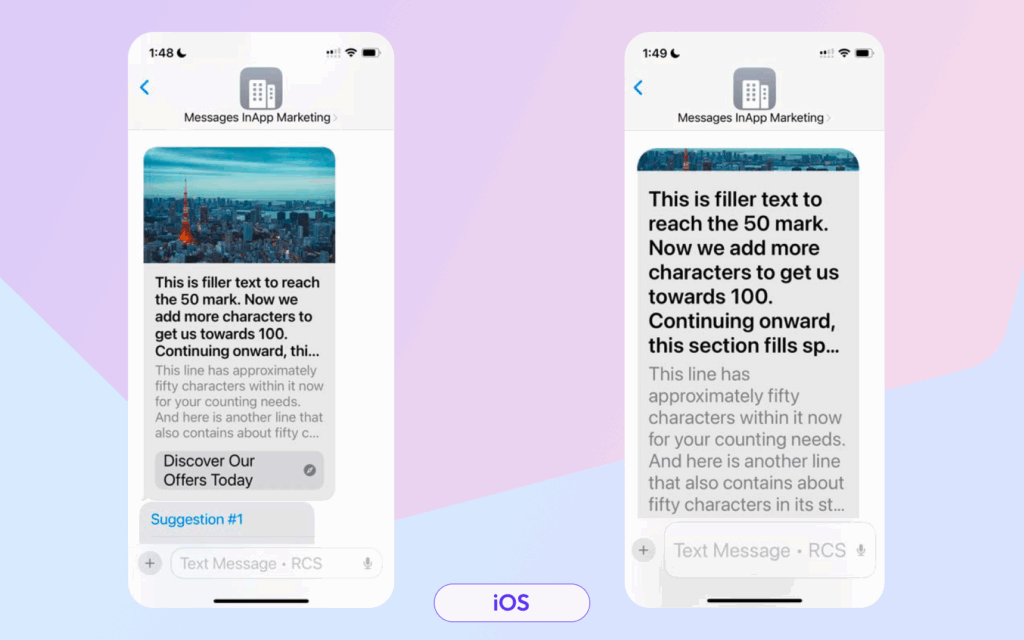
iOS Carousel Media Handling: Similar prioritization occurs with carousel content—larger text settings can significantly impact media visibility.
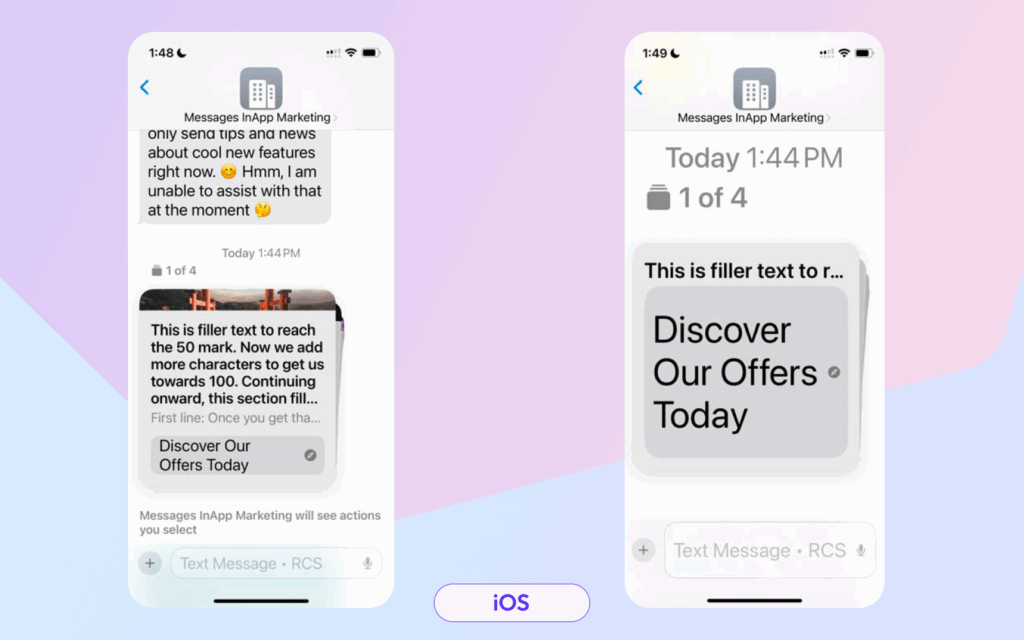
Large Text Impact: Call-to-action buttons can cause severe media cropping when combined with large, bold, high-contrast text settings.
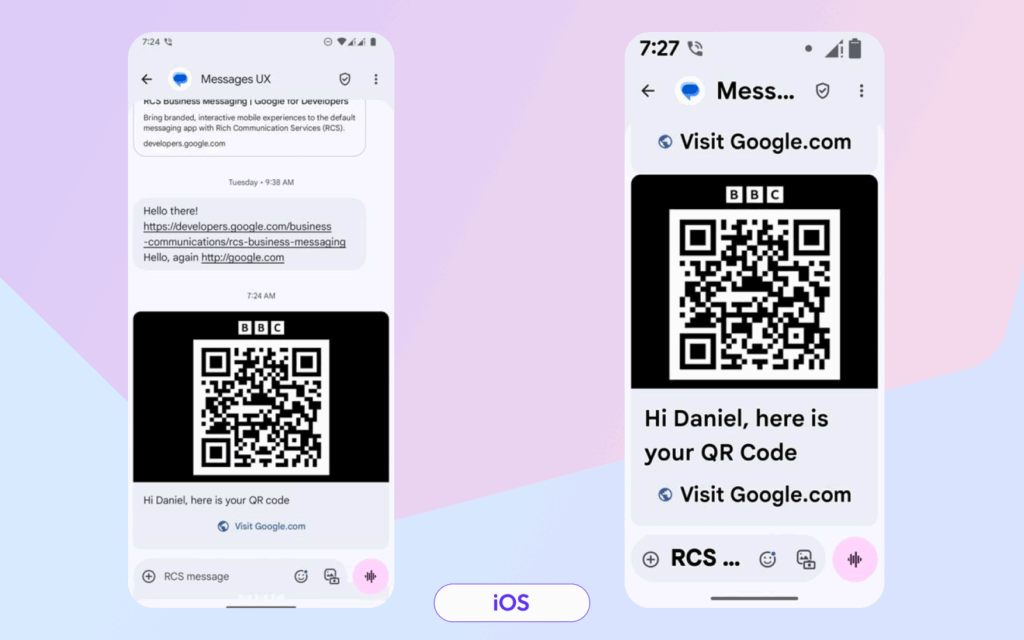
Android’s Superior Text Handling: Android manages large text settings more gracefully, maintaining media visibility even with call-to-action buttons and enlarged, bold text.
The strategies covered in this guide, from basic text optimization to complex media handling, provide a roadmap for creating RCS campaigns that work seamlessly regardless of recipient device type. By acknowledging platform limitations and designing around them, businesses can harness RCS’s full potential while maintaining consistent, professional experiences that drive customer engagement.
This is where Dotgo’s expertise becomes invaluable. Understanding that campaign success depends on cross-platform consistency, Dotgo’s platform includes both Android and iPhone preview capabilities, allowing partners to visualize exactly how their campaigns will appear on both devices before deployment. This real-time preview functionality eliminates the guesswork from cross-platform optimization, enabling agencies, developers, and marketing teams to fine-tune their messaging for optimal performance on both platforms.





© 2022-2026 dotgo.com. All rights reserved.